10 Things You Can Do for Your AI Visibility While You’re at Wedding MBA
This is the companion to my ten minutes in Alan Berg’s session. The slides only had room for part of it, so here is the whole list. Every item is something you can start from your phone or laptop before you head home, and none of it needs a developer to begin. A few of these you may want help finishing, and I will point those out along the way.
Each one has the same two parts: why this is important and the action steps. Do them in order if you can, because the first one tells you where to focus everything else.
Click here to download a companion checklist to keep you on track with these ideas.
1. Ask AI what it knows about you
Why this is important.
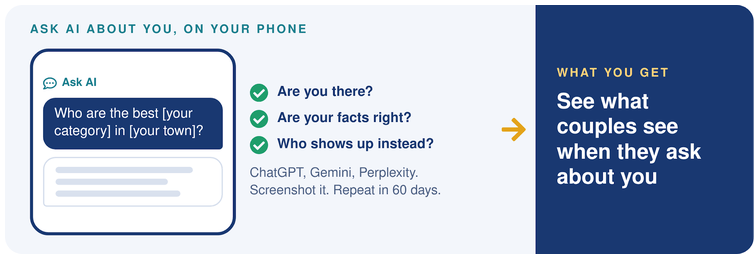
More and more couples are asking ChatGPT, Gemini, Perplexity and Google’s AI Mode the questions they used to type into a search bar, often in full sentences that describe their whole wedding. You cannot improve what you have never looked at, and this takes five minutes.
Action Steps.
- Open two or three AI tools on your phone. ChatGPT, Gemini and Perplexity are a good start.
- Ask: “Who are the best [your category] in [your town] for [the couples you love working with]?”
- Ask: “What do you know about [your business name]? What do couples say about working with them?”
- Ask: “How much does a [your category] usually cost in [your area]?”
- Screenshot every answer and write down what is missing or wrong. If you can, ask once more in a private browser window, because answers change with your history and from one try to the next. Set a reminder to ask the same questions in 60 days and compare.
2. Follow the sources AI cites
Why this is important.
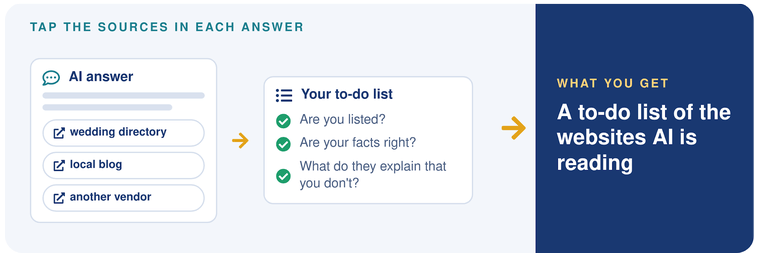
When an AI tool shows its sources, it is showing you the websites it pulled from to answer that question about your category in your area. Those websites are the places your business needs to be present and accurate, so this is the step that turns your screenshots into a to-do list.
Action Steps.
- In each answer from step 1, tap the sources or citations. If none show, ask it to search the web and list its sources.
- List every website that shows up more than once: directories, review sites, local publications, blogs, and other vendors’ websites.
- Check whether you are on each one. If you are, check your facts there. If you are not, note whether you can get listed or featured.
- When a competitor’s own website is cited, open that page and look at what it explains that yours does not.
3. Make your facts match everywhere
Why this is important.
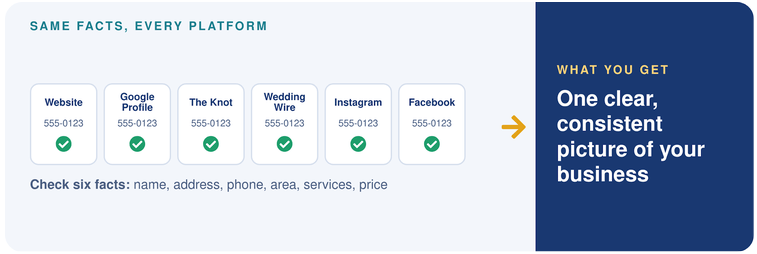
AI tools can draw on your website, your Google Business Profile, the wedding directories and your public social profiles. When an old phone number is still live on one profile, your business name is written two different ways, or your service area changes from site to site, you are giving them mixed signals about one business. Even small differences like “Street” and “St.” are worth cleaning up while you are in there.
Action Steps.
- Open your website, Google Business Profile, The Knot, WeddingWire, Instagram and Facebook in separate tabs.
- Compare six facts: your business name (including “&” or “and”), your address format and suite number if you show an address, your phone number, your service area if you travel, the services you offer, and your starting price or range.
- Choose one version of each fact and save it in a note on your phone, so you paste the same thing every time. If you work from home and hide your address on Google, keep it hidden and match your service area instead.
- Fix the profiles you can from your phone this week, and put the rest on your list for when you get home.
4. Publish at least a starting price
Why this is important.
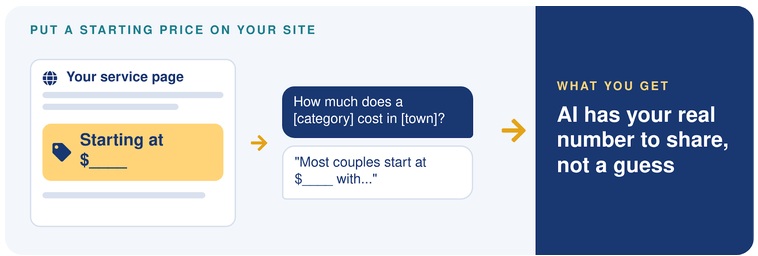
“How much does a ___ cost in ___?” is one of the most natural questions a couple asks, whether they ask a person or AI. If your price is nowhere online, AI has nothing from you to repeat, and the answer the couple gets is built from other people’s numbers. However, always show pricing in a place where they already have context on the value of your service.
Action Steps.
- Decide how you want to say it: a starting price, a typical range, or “most couples invest between ___ and ___.”
- Add it to your main service page, with a sentence or two about what makes the price go up or down.
- Use the same number on your directory profiles and your Google Business Profile wherever there is a place for it.
5. Record yourself answering couples’ questions
Why this is important.
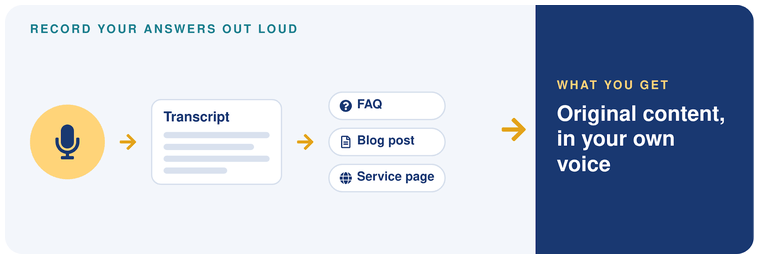
Your best content is already in your head, and most of us explain things better out loud than we do in writing. A transcript captures the way you really talk to couples, with the details and stories nobody else has, and that is original content in your own voice.
Action Steps.
- Write down the five questions couples ask you most on calls and tours.
- Find a quiet corner, open your voice memo app or any recording app that transcribes, and answer each question for a minute or two, as if the couple were sitting across from you.
- Get the transcript. Many phones and recording apps now create one for you.
- Edit lightly. Keep your phrases and your examples. Each answer can become an FAQ, a blog post, or a section of a service page.
6. Put FAQs on every important page
Why this is important.
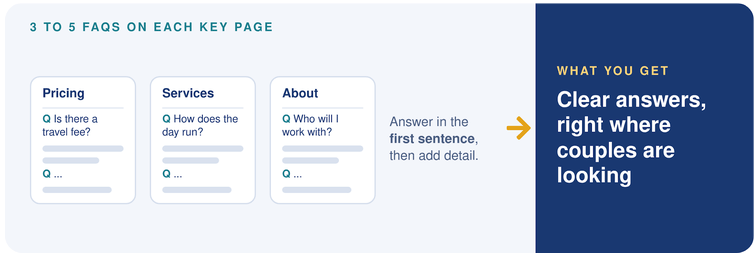
Couples ask questions about whatever they are looking at. A question about travel or delivery fees belongs on the pricing page, and a question about how the day runs belongs on the page about that service. When the questions sit on the pages they relate to, you give Google and AI a clear answer tied to a clear topic, instead of one long FAQ page covering everything.
Action Steps.
- List your five or six most important pages: home, each main service, pricing, about, and any area pages.
- Write three to five questions for each page, pulled from your recordings, your emails and your reviews.
- Answer each question in the first sentence, then add the detail.
- Keep the questions and answers visible on the page. Google now shows special FAQ results for very few sites, so the clear, readable answer is what does the work, with or without extra code.
7. Check your schema
Why this is important.
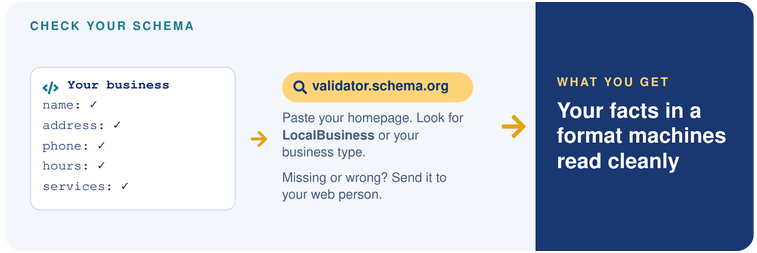
Schema is a small piece of code that labels your business details, like your name, address, phone, hours and services, in a format search engines read easily. It gives Google and AI tools a clean, structured version of the same facts you just made consistent in step 3.
Action Steps.
- Go to validator.schema.org and paste in your homepage address.
- Look for LocalBusiness, Organization, or a more specific business type such as Florist, Bakery or ProfessionalService in the results, and check that the name, address and phone match your note from step 3.
- If nothing shows up, or the details are wrong, send the results to your web person. This is one I would not try to hand-code yourself.
8. Collect quotes from industry people
Why this is important.
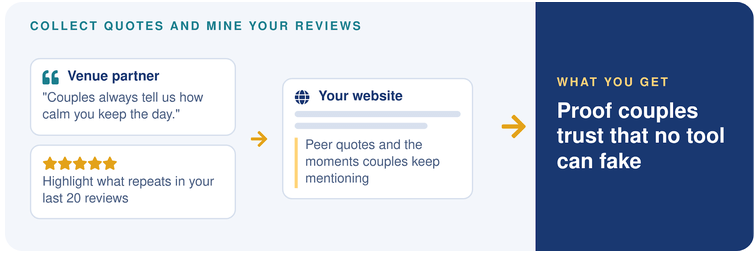
Dialoguing with venues, planners, and vendors who have worked beside you or soon will. A sentence from a respected peer about what it is like working with you is proof a couple trusts, and it is firsthand content no tool can produce for you. Your reviews matter here too: they are couples describing your experience in their own words, and the moments that repeat are the ones worth explaining on your site.
Action Steps.
- List the vendors and venues here you have worked with or want to.
- Ask them, “What’s it like working with us?” or “What do couples notice when we’re on the same wedding?” With their permission, record the answer on your phone.
- Ask if you can quote them on your website with their name and business, and offer to write one for them in return. Keep these to website quotes, since trading Google reviews breaks Google’s rules.
- Back at your hotel, paste your last 20 reviews into one document and highlight the moments that repeat. Pick the top three and write a short section on your site for each, explaining what you do and why, with the review that says it best.
9. Boost the page Google already ties to your topic
Why this is important.
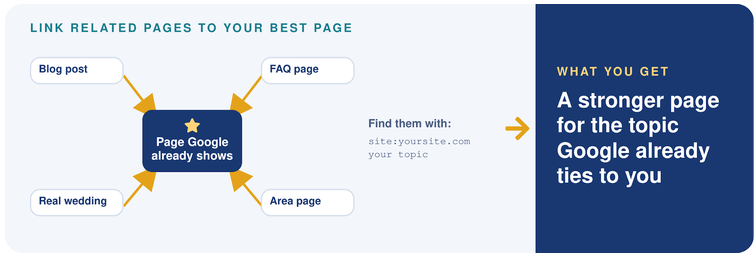
This tip comes from Edward Sturm, and I love it because it uses a decision Google has already made. Instead of writing a brand new page and starting from scratch, you point your other pages at the one Google already connects with that topic.
Action Steps.
- Search Google for your website plus the topic you want to be found for, like this: yourwebsite.com outdoor ceremony
- If one of your pages shows up and it is a good match for that topic, that is the page you are going to boost.
- Find your related pages by searching: site:yourwebsite.com outdoor ceremony. Google will show you the pages on your site it has indexed that mention the topic.
- Add a link from each of those pages to the page you are boosting, using words that describe the topic.
10. Write about weddings and places you actually know
Why this is important.
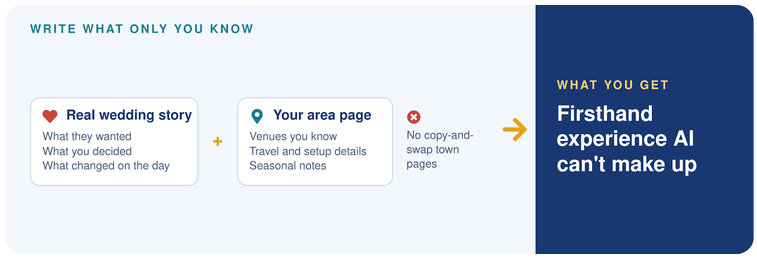
Real experience is the one thing AI cannot make up for you. A real wedding story that explains your decisions, and an area page full of local knowledge, both show that you have done this work in this place. Google’s own guidance asks for exactly that kind of firsthand experience.
Action Steps.
- Pick one recent wedding. Write what the couple wanted, the decisions you made, what changed on the day, and how you handled it. Credit the other vendors and link to their websites.
- Pick the town or area you most want to book in, and write the page only a local pro could write: venues you have worked, travel and setup details, seasonal notes, and the rules or permits couples should know about.
- Link the wedding story to the area page and to the service page it relates to.
- Skip the shortcut of copying one area page and swapping the town name. It gives a couple, and Google, nothing new.
Where a person makes the difference
Every item on this list can be sped up with AI, and I think you should use it. What concerns me is when AI becomes the only thing building your website and your visibility. It gives you what it gives everyone who asks the same question, and when everyone sounds the same, it gets very hard to stand out.
So before you hand it the whole job, ask yourself a few honest questions. Has it worked in the wedding industry, or walked in your shoes? Will it go the extra mile for you? Will you feel heard? Does it have the intuition and empathy to notice what is missing, and to come up with the secret sauce that makes you who you are?
I have been in the wedding industry since 1981, and I co-wrote From Browsing to Booking with Alan because I care about wedding businesses getting found by the right couples and turning those visits into bookings. My suggestion is simple: use AI for the first draft, then have someone who knows weddings tell you what it missed.
If you ran the phone test from step 1 and would like a second set of eyes on what you found, I would love to look at it with you.
Schedule a time: meetbrianlawrence.com